
A smooth Go-Live Planning process for an FWA network begins with good technical and operational steps. Planners use smart tools to create accurate models. This enhances projects for fast internet, ensuring they work better. Teams need to verify if the network is ready, which helps meet customer demands for reliable service. It also prevents mistakes that could negatively impact business operations. Careful Go-Live Planning allows teams to deliver FWA solutions that function immediately.
Key Takeaways
- Set clear business goals. Make sure FWA planning matches company goals. This helps the network meet real customer needs.
- Do careful site surveys. Find things that can block signals. This helps plan good coverage.
- Keep strong communication with stakeholders during rollout. Give regular updates. This builds trust and keeps everyone informed.
- Put strong security measures in place before going live. Use firewalls and encryption. Train staff to protect the network.
- Test the whole network before launch. Find and fix any problems. This gives users a smooth experience from day one.
- Use AI-driven tools for network modeling and monitoring. These tools help improve performance. They also fix problems fast.
- Make a detailed go-live checklist. Follow all steps. This reduces mistakes and makes operations ready.
- Plan for improvements after launch. Do regular checks and updates. This keeps the network strong and meets user needs.
FWA Go-Live Planning: Setting Objectives
Business Goals Alignment
Good go-live planning starts with clear goals. Teams need to link fwa planning to the company’s main plan. They should check different things to make sure the network fits real needs:
- Look at technology to see if it meets new standards.
- Check the market to find where people want internet most.
- Watch how people move to know who needs better internet.
- Look at land and hills to find any problems.
- Study other companies to avoid areas with strong coverage.
- Keep an eye on how people change to plan for growth.
- Compare money returns for fwa and fiber, thinking about property age and how developed it is.
By doing these steps, teams make sure fwa goals guide all parts of planning.
Technical Success Criteria
Teams must set clear fwa technical needs before launch. These needs help check if the network is ready. The table below shows common things teams look at in fwa planning:
| Criteria | Description |
|---|---|
| Bandwidth and Throughput | Teams decide how much data and users the network can handle at busy times. |
| Latency and Reliability | Teams set rules for speed and uptime, which is important for games and video calls. |
| Scalability and Growth | Teams plan for more users and services in the future. |
| Resource Allocation | Teams plan servers and resources to make sure the network works well. |
| Redundancy and Failover | Teams add backup systems so the network keeps working if something fails. |
| Requirements Documentation | Teams keep records of all needs to help follow rules and talk with each other. |
Meeting these fwa needs helps teams build a strong network that supports agreements and future growth.
Stakeholder Communication
Talking clearly with everyone is important for go-live planning. Teams should use different ways to keep people updated and involved during the fwa rollout:
| Method | Description |
|---|---|
| Robust Communication Plan | Helps keep everyone informed and involved during the rollout. |
| Regular Updates | Gives news about rollout progress, helping people trust the team. |
| Transparency | Sharing problems and changes helps people understand and work together. |
| Pre-Rollout Training | Gets users ready by teaching them about new software and changes. |
| Ongoing Support | Gives help after rollout to answer questions and solve problems. |
| Feedback Mechanism | Lets people share their thoughts, which helps fix issues and make things better. |
Teams that do these steps can stop confusion and build trust. Good communication makes sure everyone knows the goals and how the fwa rollout is going.
Site & Environmental Readiness for Fixed Wireless Access
Site Surveys & Terrain Analysis
Site surveys help teams know where to put equipment. They walk around and use tools to check signal strength. Teams look at hills, buildings, and trees. These things can block signals and make coverage worse. Good planning starts with a map. Teams mark where people live and work. They check if trees or buildings block the signal. They also see if the land is flat or has hills.
The table below shows how different things from site surveys and terrain analysis change network performance:
| Metric | Influence on Network Performance |
|---|---|
| Average Vertex Degree | Changes network capacity |
| Average Path Length | Changes network capacity |
| Average Hop Count | Changes latency |
| Vegetation Obstruction | Causes capacity bottlenecks at mmWave frequencies |
| Link Distance | Changes the effect of rain on signals |
| Bandwidth | Higher frequencies give larger data rates |
Teams use this information to plan coverage and capacity. They can pick the best places for antennas. This helps them reach more people and avoid weak spots. Good planning also helps teams not waste resources.
Infrastructure & Power Checks
Teams need to check if the site has the right things for fixed wireless access. They look for strong towers, safe rooftops, and steady power. Without these, planning will not work. Teams also check for backup power. This keeps the network working during storms or outages.
Common problems can slow down fwa deployment. The table below lists some of these problems:
| Challenge | Description |
|---|---|
| Signal interference | Other networks, devices, and obstacles can lower signal quality. |
| Weather conditions | Rain, snow, and heat can weaken signals and reduce coverage. |
| Network congestion | Too many users can slow down the network and shrink coverage. |
| Fading issues | Obstacles and distance can make signals weak and cause coverage gaps. |
Teams fix these problems by using better antennas and planning for backup power. They also use coverage and capacity planning to find the best spots for equipment. This helps them keep coverage strong, even when problems happen.
Regulatory Compliance
Teams must follow local rules before turning on the network. They check for permits and make sure the site is safe. Teams also check if the equipment follows radio frequency rules. This step keeps people safe and makes the network legal.
Teams use coverage planning to show their network will not cause problems for others. They keep records of all checks and approvals. This helps them avoid delays and fines. Good planning makes sure the network works well and follows all rules.
Tip: Teams should start compliance checks early. This helps them fix problems before they get too big.
FWA Planning: Technical Design & Spectrum Optimization
Advanced Radio Network Design
Teams use advanced radio network design to make fwa networks strong. They pick fwa technologies and equipment that fit the area’s needs. Teams put base stations in places that give the best coverage. Subscriber units help users connect and must line up with base stations. Teams check modulation schemes to send data faster and keep it safe. They plan for network redundancy so important apps keep working if something breaks.
The table below lists main parts of advanced radio network design for fwa:
| Component | Description |
|---|---|
| Modulation Schemes | Techniques like QAM and FEC help send data faster and keep it safe. |
| Base Stations | Placed in smart spots with radio gear, they are key for the network. |
| Subscriber Units | Equipment at homes or businesses connects people and must match base stations. |
| Backhaul Connectivity | Links join base stations to the main network, which is important for how well the network works. |
| Spectrum Availability | This limits how big and fast the network can be. |
| Interference Challenges | Problems with line-of-sight need careful planning to fix. |
| Scalability and Capacity | Teams think about how to handle more users in the future. |
Tip: Teams should always look for interference and line-of-sight problems. These can make coverage worse and hurt important apps.
Spectrum & Backhaul Planning
Spectrum planning is a big part of building fwa networks. Teams pick frequency bands that lower interference and make service better. Good spectrum planning keeps connections steady and helps important apps work. Teams use spectrum to cover more places and stop network crowding. They also plan for backup links and extra frequency bands for network redundancy.
Teams must think about things like weather and land when planning spectrum. Bad weather can make signals weak, so teams pick bands that work well in rain and snow. They use fwa technologies and equipment that do well in different weather. Teams plan backhaul links to join base stations to the main network. These links need to move lots of data and give backup for important apps.
The list below shows how spectrum planning helps fwa networks:
- Good spectrum planning cuts down on signal interference and crowding.
- It keeps connections steady, which makes users happy.
- Careful planning can fix problems from bad weather.
Note: Teams should always plan for backup links and extra spectrum bands. This keeps coverage strong and helps important apps work during outages.
AI-Driven Network Modeling
AI-driven network modeling gives teams new fwa tools. They use real-time data and automation to work better. AI tools help teams plan coverage and fix problems fast. Teams use data analytics and machine learning to use spectrum better and keep network redundancy. Automation tools make work easier and help users with important apps.
AI-powered UX testing lets operators change plans as users change how they use data. Automated workflows make fwa network planning simple and solve RF planning problems. Teams use automated 360º assurance to see how resource problems change service quality and coverage.
The ordered list below shows what AI-driven network modeling does in fwa planning:
- Automated workflows make fwa network planning easy and fix RF planning problems.
- AI-powered UX testing helps operators change as users use data in new ways.
- Automated 360º assurance links problems across the network, helping teams see how resource issues change service quality.
Teams should use AI-driven modeling tools to get better coverage, use spectrum well, and keep network redundancy for important apps.
FWA Deployment & Integration Steps
Resource & Timeline Management
Teams need to watch resources and time closely during fwa deployment. Centralized management lets everyone see what is happening at all sites. This stops wasted effort. Hybrid strategies use both fiber and wireless networks. This makes things go smoother. Teams share information and use the same tools for GIS and cost modeling. This keeps teams from working alone. It also helps finish wireless simulations on time. Teams can send in applications when needed.
To keep the fwa deployment environment neat, teams do these things:
- Give each team member a clear job.
- Use one dashboard to check progress.
- Have regular meetings to look at goals.
- Share news with all departments.
- Watch how resources are used.
Tip: Centralized management helps teams find problems fast and change plans quickly.
Integration with Existing Networks
Adding fwa to mobile wireless networks and fiber backhaul helps deployment work better. This step saves money and makes the network ready faster. Teams use what they already have to reach more people. This makes fwa better than old wired services. In places like the Philippines and South Africa, this way brings broadband to new areas.
Teams do these steps for good integration:
- Make a map of network assets in the fwa deployment area.
- Find places where fiber and wireless can work together.
- Plan links that use both types of technology.
- Test the links before using them everywhere.
- Change plans if tests show problems.
Note: Adding to old networks lets teams cover more places without starting over.
Vendor Coordination
Vendor coordination is very important for a smooth fwa deployment environment. Teams must check suppliers for risks and keep the supply chain safe. They look at suppliers often, especially those who give important equipment. Working with both private and public groups makes the supply chain stronger. Teams also test equipment and apps for cybersecurity before using them.
The table below shows best ways to work with vendors:
| Best Practice | Description |
|---|---|
| Supplier Risk Management | Teams check suppliers often to keep the supply chain safe. |
| Collaboration and Information Sharing | Teams work well with private and public groups. |
| Cybersecurity Considerations | Teams test for security problems before using equipment. |
Teams talk clearly with vendors and set rules early. They check contracts and watch delivery times. Regular meetings help fix problems fast.
Teams that do these things make a strong fwa deployment environment and stop supply chain problems.
Security & Compliance in FWA Go-Live
Network Security Measures
Teams need to keep the network safe when getting ready for go-live. They set up firewalls to block bad traffic. Intrusion detection systems help teams see threats fast. Teams use secure protocols so data stays safe as it moves. Encryption makes it hard for attackers to read information. Teams update software often to fix weak spots. Staff learn about security so they can spot risks early.
A simple checklist for network security measures includes:
- Install and update firewalls.
- Use intrusion detection and prevention systems.
- Apply encryption for all data in transit.
- Update software and firmware often.
- Train staff on security awareness.
Tip: Teams should check security logs every day. This helps them find problems before they get worse.
Data Privacy & Access Control
Data privacy and access control are important for network safety. Teams use strong authentication so only the right people get in. Multi-factor authentication adds extra safety. Encryption keeps user data private as it moves. These steps stop people who should not see the data.
Teams also watch how much data users use. FWA users often use more data than others. Good bandwidth management keeps the network working well. Regular checks help teams find weak spots. Backup and failover systems make sure users stay connected, even if something breaks.
Note: Teams should write down all access control rules. They need to check these rules often to follow the law.
Monitoring & Incident Response
Watching the network all the time is key for safety. Teams use tools to spot strange activity right away. Alerts help teams act fast if there is a threat. If something bad happens, teams follow a plan. The plan tells them how to stop the attack and fix things.
A basic incident response plan includes:
- Find the threat.
- Stop the problem from spreading.
- Remove the threat from the network.
- Get systems and data back to normal.
- Look at what happened and make security better.
Teams should practice their plans often. This helps everyone know what to do if there is a real attack. Good planning and drills keep the network safe and following the rules.
Testing & Validation Before FWA Go-Live
End-to-End Network Testing
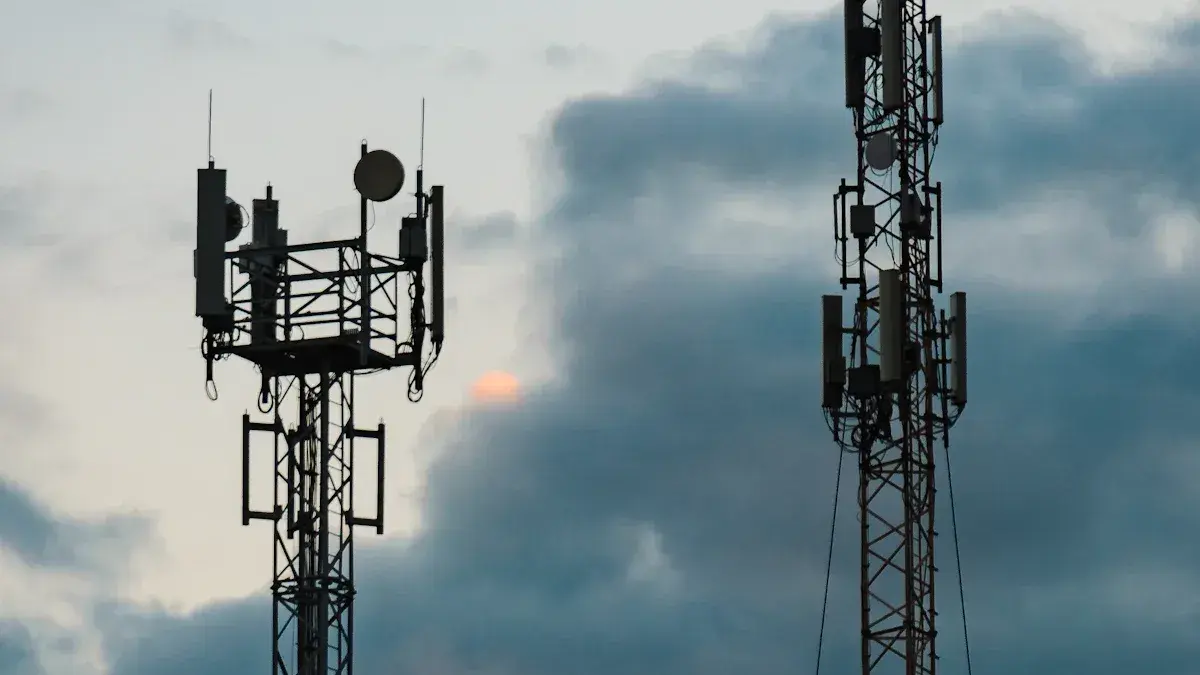
Teams need to test the whole network before it goes live. First, they check if all the equipment works together. Every device must connect and send data without mistakes. Teams use test devices in many places to see if signals reach homes and businesses. They look for weak spots where the signal is bad or slow. Teams also check if the network can handle lots of users at once. They use simple tools to measure speed and how well it works. If they find any problems, they fix them before moving on.
Tip: Teams should test at different times of day. This shows how the network works when many people use it.
Performance Validation
Performance validation helps teams see if the network meets its goals. They check if people can get service at their homes or offices. Teams make sure there is a clear line-of-sight to base stations. They measure how much data the network can handle. Teams look for crowding that could slow down service. They run tuning and site acceptance tests to check coverage and service. Teams keep checking and making the network better, especially in far away places where testing is harder. Ongoing checks help keep service strong and reliable.
A simple checklist for performance validation:
- Make sure each subscriber can get service.
- Check for a clear line-of-sight to base stations.
- Measure how much the network is used.
- Run tuning and acceptance tests.
- Keep making the network better after launch.
Documentation & Handover
Good documentation helps teams hand over the network easily. They write down the plan for building and starting the network. Teams keep records of the rollout, including when and where they set up equipment. They watch network performance and track what users experience. Teams use data from network tools to make smart choices and improve the network.
A list of important documents for a good handover includes:
- Planning documents that show how the network will be built and what is needed.
- Rollout records with timelines and coverage goals.
- Monitoring reports that show how the network works and what users think.
- Reports from network tools to help make future choices.
Note: Teams should keep all documents neat and easy to find. This helps new team members learn about the network and keeps things running well.
Operational Readiness & Go-Live Checklist
Strong operational readiness is needed for a good go-live. Teams should use a checklist to stop mistakes and make network activation easy. This part shows how to set up monitoring, help new users join, and make the network work better. It also shares best ways to do things and warns about common mistakes.
Monitoring Setup
Teams must put monitoring tools in place before the network starts. These tools help teams find problems early and keep coverage strong. Monitoring also helps teams follow rules and fix issues fast.
| Monitoring Tool/Strategy | Description |
|---|---|
| Ongoing Monitoring | Finds problems early and checks controls with regular, independent audits. |
| Risk-based Monitoring | Sets main risk signs and looks into problems quickly. |
| Internal Audits | Makes a yearly plan based on risk and finds the cause of problems to fix them. |
| Utilize Technology for Detection | Uses smart tools to spot problems and track fixes. |
Teams should use more than one way to monitor. Ongoing monitoring finds issues before they get big. Risk-based monitoring looks at the most important risks. Internal audits help teams learn from mistakes and get better. Technology tools make it easier to see problems and act fast.
Tip: Teams should keep good records of all monitoring work. Good records show teams follow rules and help with audits.
Subscriber Onboarding
Getting new users on the network is a big step. Teams must make sure every user can join the network without trouble. Good onboarding keeps coverage strong and the network safe.
| Best Practice | Description |
|---|---|
| Real-time checks and intelligent tools | Cut down mistakes when setting up and make joining easier. |
| Dashboards and analytics | Show problems in KYC, porting, and setup, making things work better. |
| Clear porting checks and real-time coordination | Lower rejections and speed up moving between networks. |
| Precise document checks and ID validations | Make sure joining is safe and follows the rules. |
| Structured provisioning and address validation | Make sure service works and is ready for each user. |
Teams should use real-time tools to check user info and documents. Dashboards help teams see how things are going and find problems. Teams must check addresses and make sure users have the right gear. Clear steps and good talking help users get connected fast.
Note: Teams should teach staff about onboarding and rules. Training often stops mistakes and keeps things running well.
Performance Optimization
Making the network work its best is important for users. Teams must plan for lots of data use and different user devices. Automation and AI tools help teams do hard jobs and keep the network strong.
- Teams should make special plans for each area and group.
- Automation tools help with planning and testing the network.
- AI helps teams find and fix coverage gaps fast.
- Teams should watch data use and change resources as needed.
- Regular checks and tuning keep the network fast and working well.
Teams should not make mistakes like unclear rules, bad training, or weak controls. Clear rules and regular checks help stop fraud, waste, and abuse.
Practical Go-Live Checklist
- Set up ongoing and risk-based monitoring tools.
- Train staff on rules, onboarding, and monitoring.
- Use real-time checks and dashboards for new users.
- Check all user documents and addresses.
- Plan for lots of data use and different devices.
- Use automation and AI for planning and checking performance.
- Keep good records of all work and training.
- Check and update controls often.
| Common Pitfalls to Avoid | Description |
|---|---|
| Lack of clear definitions | Staff must know what counts as fraud, waste, and abuse. |
| Inadequate training | Teams need training often on rules and risks. |
| Poor internal controls | Strong controls help stop and find problems. |
Remember: Good go-live planning and strong readiness keep coverage safe, help teams follow rules, and make the network do well.
Teams that plan well and follow good steps can make fwa go-live easy. They make clear goals, check if sites are ready, and use smart tools. Stories from real life show fwa gives fast and steady service to more people and saves money. Teams keep making the network better so it can be as fast and reliable as fiber. They should use a go-live checklist and always look for ways to improve for the best results.
- Fast setup helps more people get internet.
- Regular checks make sure service stays strong.
- New networks can be as good as old broadband.
FAQ
What is the first step before launching a fixed wireless access network?
Teams should set clear goals and check if the network matches business needs. They must plan for coverage, user demand, and technical requirements before starting any work.
How do teams choose the best site for equipment?
Teams use site surveys and maps to find the best spots. They look for places with few obstacles, strong power sources, and safe access for workers.
Why is network testing important before go-live?
Network testing helps teams find weak spots and fix problems. It checks if all devices work together and if users get strong, fast signals.
What tools help teams plan and monitor the network?
Teams use monitoring dashboards, AI-driven modeling, and real-time analytics. These tools help spot issues early and keep the network running well.
How do teams keep user data safe during onboarding?
Teams use strong authentication and check documents carefully. They use secure systems to protect user information and follow privacy rules.
What should teams do if they find a problem after launch?
Teams should use monitoring tools to spot issues quickly. They must follow a set plan to fix problems and keep service strong for users.
How does fwa compare to traditional broadband?
Fwa can reach more people faster than old wired networks. It uses wireless signals to deliver high-speed internet, even in places where cables are hard to install.