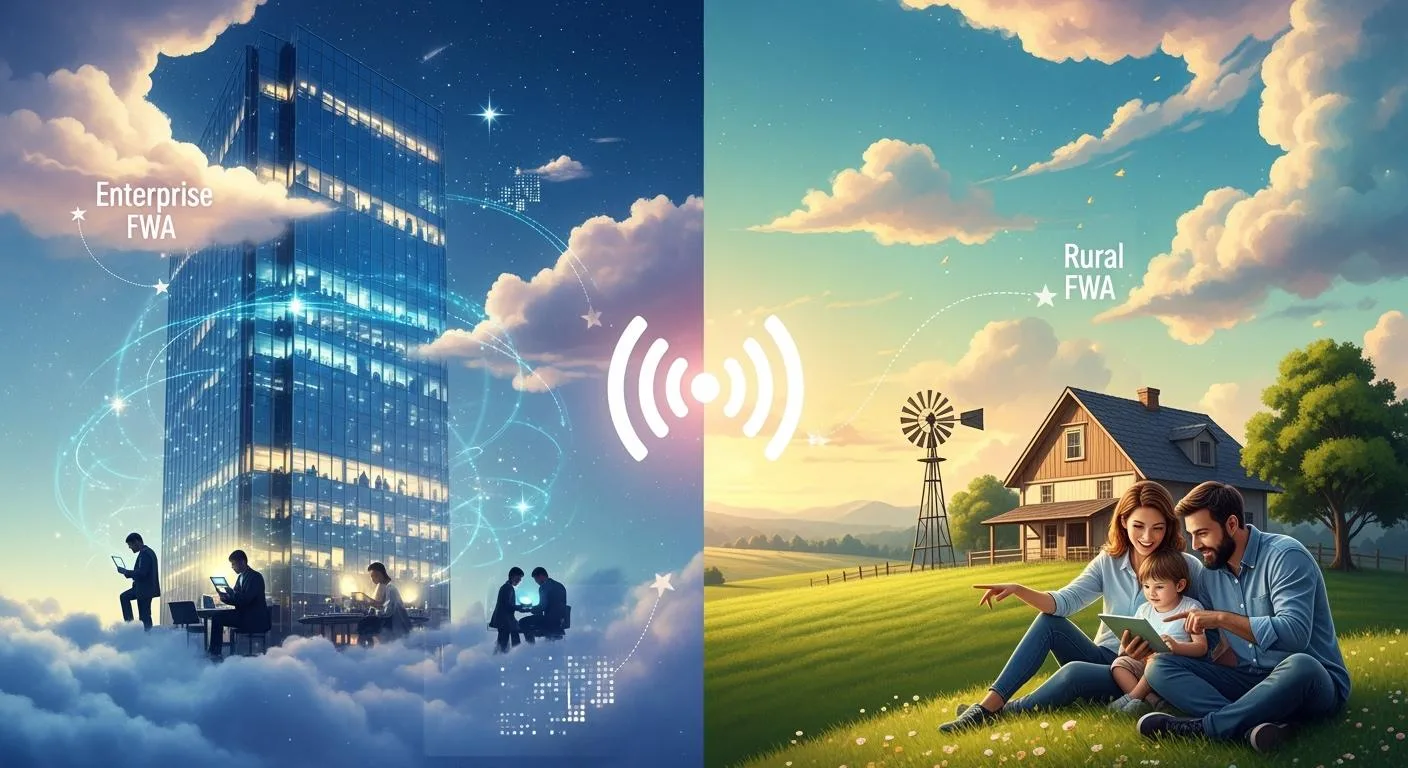
Key Differences Between Enterprise and Rural FWA
Explore the distinct features of FWA for Enterprise and Rural.
| Features | FWA for Enterprise | FWA for Rural |
|---|---|---|
| Connection Type | Dedicated, uncontended connection. | Shared connection with multiple users. |
| Service Level Agreements | Strong SLAs with uptime guarantees. | Basic SLAs focused on access. |
| Cost Structure | Higher initial costs for equipment. | Lower costs, affordable for families. |
| Deployment Speed | Planned, tailored deployment. | Rapid deployment in emergencies. |
| Target Users | Businesses needing reliable connectivity. | Families and small businesses. |
| Performance Expectations | High bandwidth and low latency. | Adequate speed for basic needs. |
| Scalability | Limited by infrastructure investment. | Highly scalable with wireless tech. |
| Security Features | Advanced security and compliance. | Basic security measures. |
| Use Cases | Corporate connectivity and redundancy. | Residential broadband and community access. |
FWA for Enterprise gives a connection that is not shared. It has strong service promises. It also works well with business networks. Rural FWA gives cheap internet to people. It is easy to get and set up fast in places that need it. Businesses want their internet to work very well all the time. People in rural areas care more about low cost and getting internet quickly. These things help decide which FWA is best for each place.
Key Takeaways
- FWA for Enterprise gives special connections. This helps businesses get fast and steady internet.
- Rural FWA gives cheap internet. It helps families and small businesses in far places get online.
- Businesses get strong promises from Enterprise FWA. They get lots of working time and fast help. This is very important for their work.
- Rural FWA is easy to set up and does not cost much. It helps people get internet where cables do not reach.
- FWA for Enterprise has smart tools like SD-WAN. These tools help businesses run many places at once.
- Rural FWA is made for homes and farms. It gives enough speed for things like watching videos and learning online.
- Both types of FWA can grow bigger. Enterprise FWA grows with special services. Rural FWA grows by building more towers and equipment.
- Picking FWA for Enterprise or Rural FWA depends on what you need. You should think about how fast you want the internet, how much money you have, and how many people will use it.
Use Cases and Requirements
FWA for Enterprise Use Cases
Corporate Connectivity
Many companies need fast and steady internet every day. FWA for Enterprise helps connect main offices to the internet with fast links. This connection lets workers use video calls and cloud services. It also helps send big files and use VoIP for talking.
Branch Office Links
Some companies have offices in many places. FWA for Enterprise helps link these offices together. The network can grow by adding more base stations or new equipment. This lets businesses get bigger fast without waiting for wires.
Redundancy Solutions
Businesses want their internet to work all the time. FWA for Enterprise can be a backup if the main line stops working. This keeps important things running and stops downtime. It also helps at temporary sites, like building projects, where fast setup is needed.
Tip: FWA for Enterprise also works with IoT devices that need quick updates and fast talking.
Rural FWA Use Cases
Residential Broadband
Many people in rural places do not have wired internet. Rural FWA brings cheap broadband to homes in these areas. Families can use it for school, work, and fun.
Community Internet
Rural FWA helps whole towns get online. It gives internet to schools, libraries, and health centers. This helps learning, telemedicine, and local shops.
Agricultural Access
Farmers use tech to watch crops and animals. Rural FWA gives farms the internet for smart devices and sensors. This helps farms work better and helps rural areas grow.
- Rural FWA is also good for remote work and stores in small towns.
Requirement Differences
Bandwidth & Latency
FWA for Enterprise gives high bandwidth and low latency. Businesses need fast speeds for many users and real-time apps. In cities, the network can go up to 4 Gbps. Rural FWA gives enough speed for homes and small shops, but each site has less capacity than in cities.
Coverage Needs
| Coverage Type | Service Capacity per EN | Supported Capacity | Infrastructure Needs |
|---|---|---|---|
| Urban | 300–500 Mbps | 4 Gbps | Lower |
| Rural | Lower than Urban | Up to 4 Gbps | Higher (15% more) |
Urban networks need less equipment because buildings are close. Rural networks need more towers and gear, especially where there is lots of rain or thick plants. Plants can make rural areas need 4% more equipment.
SLAs & Support
FWA for Enterprise comes with strong service promises. These promises mean high uptime and quick help. Businesses count on these to keep working well. Rural FWA wants to make internet easy to get and cheap. Help is there, but the main goal is to connect more people.
Note: Enterprises often want special service promises, but rural users care about fast setup and low price.
Performance and Reliability
Enterprise Performance
Uncontended Connectivity
FWA for Enterprise gives each business its own connection. This means companies do not have to share with neighbors. Because of this, internet speeds stay steady. Even if many people use the network, speeds do not drop. Businesses can trust their internet for video calls and cloud work.
Low Latency
Companies need their apps to respond fast. FWA for Enterprise uses smart tools to manage traffic. These tools help data move quickly. Low latency is important for things like voice calls and trading online.
High Uptime
Enterprise networks want their internet to work almost all the time. If FWA stops, it can hurt business work. High uptime keeps things running in places like banks and hospitals. This helps stop money loss and keeps people’s trust. Providers promise strong uptime and fast help to keep businesses working.
Rural Performance
Adequate Speed
Rural FWA gives enough speed for homes and small shops. The main goal is to bring internet where wires do not reach. People can watch videos, join classes, and use social media. The speed is not as fast as in cities, but it works for most families.
Variable Reliability
Rural internet can change a lot. Weather, distance, and how many people use it can affect it. Heavy rain or thick plants can make the signal weak. Sometimes, speeds slow down when many people are online. Rural FWA tries to keep people connected, but it is not always the same.
Reliability Comparison
SLAs & Redundancy
| Feature | FWA for Enterprise | FWA for Rural |
|---|---|---|
| Service Level Agreements (SLAs) | Strong, with uptime and response guarantees | Basic, focus on access |
| Redundancy | Active/Active, Active/Passive, multi-carrier | Limited, focus on coverage |
FWA for Enterprise has clear rules for service. These rules say what businesses get, like uptime and support times. Providers use backup plans to keep internet up during problems. They may use different setups or let devices switch carriers for better service.
Rural FWA wants to connect more people. The rules are not as strict. Backup plans are not used as much. The main goal is to reach more homes and farms.
Environmental Factors
Both enterprise and rural FWA can be affected by the environment. Rural areas have bigger problems.
- Rain can lower coverage by 2% in light rain and 5% in heavy rain.
- Plants in summer lower coverage by 3% compared to winter.
- Heavy rain in summer means 20% more equipment is needed per square kilometer.
- In rural areas, heavy rain makes backhaul distances 18% shorter, but only 8% shorter in cities.
- Signal problems, crowded networks, and fading can also hurt performance.
FWA for Enterprise is often in places with better buildings and less weather trouble. Rural FWA must deal with changing weather and land, so it is harder to keep service steady.
Note: Businesses need FWA for Enterprise to be steady and high quality. Rural users care more about getting internet and saving money, even if the service changes with the weather.
Deployment and Scalability

Enterprise Deployment
Managed Services
Many companies pick managed services for their networks. Providers set up and run the network for them. These services give:
- Private LTE networks for safe wireless coverage, even far away.
- Better security by keeping IT and OT networks apart.
- Real-time checks to keep the network working well.
- Vendor flexibility so companies can use different equipment.
- Cheaper choices that can replace costly wired connections.
Managed services let companies focus on their jobs. Experts take care of the network.
SD-WAN Integration
SD-WAN helps businesses connect many places. It works with private wireless, MPLS, and 4G/5G LTE networks. SD-WAN makes adding new sites easy and helps manage traffic. Companies can use features like network slicing for better service. SD-WAN also helps make money from spectrum and supports 5G investments.
Rural Deployment
Cell Tower Use
Rural areas use cell towers to bring internet to homes and shops. Fixed Wireless Access sends signals from towers to fixed spots. This skips digging roads for cables, which costs a lot in the country. Cell towers must cover big areas because homes are far apart. More towers are needed to reach everyone.
Wireless Infrastructure
Wireless infrastructure in rural places has special problems. The land can make building towers hard. Fewer people means sharing costs is tough, so wires do not work well. Wireless networks are good where cables cannot go, like mountains or forests. 5G signals need to be close to devices, so covering rural areas is hard.
Scalability Challenges
Multi-Site Expansion
Businesses often need to connect many offices or sites. FWA for Enterprise helps expand fast with SD-WAN and managed services. High demand can cause problems with capacity. Providers must manage spectrum and network congestion to keep service good.
Remote Area Coverage
Rural networks face different problems. Long distances between homes mean more towers and gear. WISPs often use unlicensed spectrum, which can cause interference. Rule changes can affect how much spectrum is available. High traffic can push networks to their limits and make speeds slow.
| Challenge | Enterprise Context | Rural Context |
|---|---|---|
| Capacity Limitations | High demand in offices can cause congestion | More users per tower in remote areas can slow speeds |
| Spectrum Management | Needs careful planning for growth | Unlicensed bands can cause interference |
| Network Congestion | Heavy use affects quality of service | High traffic can lower reliability |
| Regulatory Dependence | Must follow rules for spectrum use | Rule changes can impact coverage |
Note: Both enterprise and rural FWA must fix capacity and coverage problems to grow. Each place needs different answers to help users.
Cost and ROI
Enterprise Cost Factors
Equipment & Installation
Businesses spend money on special equipment for FWA for Enterprise. They use strong antennas, routers, and backup power. Teams set up the network to fit business needs. The price is high because companies want safe and steady connections. Companies might pay extra for site checks and custom network plans.
Premium SLAs
Enterprises want good service promises. Providers give premium SLAs with fast fixes and high uptime. These deals cost more but help companies worry less. Businesses trust these promises to keep their work going.
Rural Cost Factors
Affordable Hardware
Rural FWA uses simple hardware to save money. Providers pick gear that works far away and in hard places. The goal is to help more people get internet. Cheaper hardware lets families and small shops go online without spending a lot.
Government Incentives
Government help makes rural FWA cheaper. Big carriers use this support to offer better service. This can bring more choices for customers. Large providers get funding, which can make it tough for small companies. These incentives lower prices and help reach more remote areas.
ROI Comparison
Productivity Gains
FWA for Enterprise gives businesses a good return. Reliable internet helps workers do their jobs faster. Companies use cloud tools, video calls, and real-time data. These things help businesses grow and work better.
Digital Inclusion
Rural FWA brings big benefits to communities. It helps close the gap and supports local growth. For example:
- Farmers in Eldoret, Kenya, use the network to check crop prices.
- The network lets farmers join online markets to sell goods.
- Online lessons teach farmers new ways, like precision irrigation, for better harvests.
Note: FWA for Enterprise helps businesses work better and stay online. Rural FWA helps communities grow and get more people connected.
| Factor | FWA for Enterprise | FWA for Rural |
|---|---|---|
| Equipment Cost | High | Low |
| Installation | Professional, complex | Simple, rapid |
| SLAs | Premium, strict | Basic |
| Government Support | Rare | Common |
| ROI Focus | Productivity, uptime | Digital inclusion, access |
Security and Compliance
Enterprise Security
Data Encryption
Businesses need strong ways to keep their data safe. FWA for Enterprise uses special codes to protect information as it moves. This stops hackers from stealing secrets or customer details. Many companies use tough hardware that works well in hard places. These devices help keep connections safe and stop leaks.
- FWA for Enterprise usually has:
- Codes that protect all data as it travels
- Checks to make sure users and devices are safe
- Updates often to fix problems
FWA for Enterprise also works with OT systems. This helps close gaps between IT and OT. It is important for factories and power companies. Both systems must work together safely.
Regulatory Compliance
Companies must follow rules to keep data safe. FWA for Enterprise helps meet laws like GDPR and HIPAA. Providers give tools for keeping records and showing they follow rules. Many networks use the NIST Cybersecurity Framework to build safety into every step.
- Important compliance features are:
- Logs that show what happens for checks
- Alerts that warn about strange activity
- Support for rules like NIST IR 8563 and NERC-CIP
These features help companies avoid fines and keep trust. Some groups, like power companies, must follow extra rules to report problems and protect key systems.
Rural Security
Basic Protection
Rural FWA helps more people get online. Security is simple but still matters. Providers use basic codes to keep user data safe. They set up firewalls to block bad traffic. Most rural networks use cheaper hardware, so they may not have all the fancy features.
- Common rural security steps:
- Simple passwords to protect devices
- Firewalls to stop threats
- Updates when possible to fix issues
These steps help keep families and small shops safe online. The protection is not as strong as in business networks.
Privacy Concerns
People in rural areas care about privacy. They want to know who sees their data and how it is used. Rural FWA providers must explain their privacy rules clearly. They should let users control their own information.
Note: Rural users may face risks if devices do not get updates or if networks are shared. Providers try to balance easy access with privacy and safety.
Security Needs: Enterprise vs. Rural
| Feature | FWA for Enterprise | FWA for Rural |
|---|---|---|
| Data Encryption | Advanced, end-to-end | Basic |
| Compliance | Strict, industry-specific | Minimal |
| Hardware | Industrial-grade | Affordable |
| Security Standards | NIST, NERC-CIP, GDPR, HIPAA | General best practices |
| Privacy Controls | Detailed, regulated | User-focused, simple |
FWA for Enterprise gives strong security and follows strict rules. Rural FWA offers basic safety and tries to make internet safe and private for everyone.
Pros and Cons Summary
Picking FWA for Enterprise or FWA for Rural depends on what people need. Each one has good and bad points. The table below shows how they are different in speed, trust, price, growth, and safety.
| Attribute | FWA for Enterprise | FWA for Rural |
|---|---|---|
| Performance | Enhanced bandwidth and low latency | High-speed connectivity with 5G FWA |
| Reliability | Dependent on infrastructure investment | Improved reliability due to wireless tech |
| Cost | High initial infrastructure costs | Cost-effective due to reduced physical infrastructure |
| Scalability | Limited by traditional methods | Highly scalable with 5G technology |
| Security | Varies based on deployment | Enhanced security features with 5G |
Enterprise vs. Rural FWA Comparison
Performance
Enterprise FWA gives companies strong speed and low wait times. This helps them use video calls and cloud apps with no trouble. Rural FWA brings fast internet to homes and farms with 5G. People in the country can watch videos and join online classes. Enterprise users get steady speeds, but rural users see a big jump from old choices.
Reliability
Enterprise FWA works well if companies spend money on their network. They get steady service by using strong gear and backup plans. Rural FWA uses new wireless tech to make service better. People in rural places have fewer drops and more up time than before.
Cost
Businesses pay more for enterprise FWA. They buy special gear and pay experts to set it up. This gives them strong service and help. Rural FWA costs less because it does not need cables. Families and small shops can get online without spending much.
Scalability
Enterprise FWA can grow, but old ways or rules can slow it down. Adding new places may take time and planning. Rural FWA grows fast with 5G. Providers can reach more homes and farms quickly by adding towers and using wireless links.
Security
Enterprise FWA safety changes with how companies set up their networks. Some use smart tools and follow strict rules. Rural FWA with 5G brings better safety features. This helps keep user data safe and protects families online.
Tip: People should think about what is most important—speed, price, or coverage—before picking an FWA.
Summary Table
The table above helps people see the main good and bad points quickly. Enterprise FWA is best for companies that need strong, steady service and can spend more. Rural FWA is good for places that want cheap, fast internet that can grow easily.
Network Design and Demand
Enterprise Network Trends
Metro Expansion
Many businesses want to grow in cities. They build networks in metro areas to reach more offices and customers. Cities have good infrastructure and new technology. Companies use private LTE and 5G networks for better speed and safety. CBRS (3.5 GHz) gives more spectrum choices in the U.S. This lets companies make private networks without waiting for public carriers.
- Enterprises use end-to-end encryption to protect data.
- Metro networks give fast connections to many users.
- Managed services help companies set up networks in cities.
Vertical Analysis
Different industries need special networks. Healthcare, manufacturing, and logistics use FWA in their own ways.
- Healthcare needs safe, HIPAA-compliant connections for telemedicine and smart devices.
- Manufacturing needs low-latency networks for robots and real-time checks.
- Logistics uses smart warehouses and tracks fleets live.
These industries want providers who know their problems. Providers show their industry skills to get these customers.
Rural Network Trends
Broadband Gap
Rural areas have a broadband gap. Many homes and businesses do not have fast internet. Access has gotten better, but the gap is still there.
| Year | Rural Broadband Access (%) | Non-Rural Broadband Access (%) |
|---|---|---|
| 2014 | 65 | 94 |
| 2020 | 92 | 94 |
When broadband is missing, communities can be left behind and face unfair treatment.
Remote Work Demand
Remote work changes rural network design. More people want to work from home in small towns and farms. This means they need faster and steadier internet. When rural areas get better broadband, they see:
- Higher per capita GDP
- More new businesses
- Higher property values
Providers build more towers and use wireless links to help. This brings in families and businesses who want better online tools.
Comparison
Enterprise network design focuses on growing in cities and meeting industry needs. Rural network design tries to close the broadband gap and help remote workers. Both ways help connect more people and support economic growth.
Support Models
Enterprise Support
Knowledge Bases
Enterprise FWA users need quick and clear answers. Providers make big online libraries to help them. These knowledge bases have many topics for users. People can find guides about planning and growing FWA networks. Some articles show how to set up and improve FWA. Others talk about keeping the network strong and service good. There are also tips on using automation to make FWA better for business. These resources let IT teams fix problems fast without calling support.
- Main topics in enterprise knowledge bases:
- Planning and growing networks
- How to set up FWA
- Keeping service strong
- Using automation
A good knowledge base helps businesses solve problems fast. It also teaches them new ways to use FWA and grow.
Developer Docs
Many companies want to change their networks to fit their needs. Developer docs give step-by-step help for special setups. These guides show teams how to connect FWA with other business tools. They explain how to use APIs, keep things safe, and set up automation. Clear docs help IT staff build or change network features. This self-help way saves time and helps teams try new ideas.
Developer docs often have code examples, tips for fixing problems, and best ways to connect FWA with other systems.
Rural Support
Video Content
Rural FWA users like simple help they can see. Providers make videos that show how to set up gear or fix problems. These videos use easy words and clear steps. Families and small shops can watch these on their phones or computers. Videos make it easier for people who do not know much about tech to get online and stay connected.
- Popular video topics:
- Setting up FWA gear
- Fixing slow internet
- Ways to make the signal better
Videos help rural users fix problems without reading long guides.
Voice Search
Many rural users use voice search to get answers. They might ask, “How do I set up my rural internet?” Providers make their websites easy for these questions. Simple answers and clear steps help users get help fast. Voice search is good for people who do not type well or do not have a computer.
| Support Model | Enterprise FWA | Rural FWA |
|---|---|---|
| Self-Service Tools | Knowledge bases, developer docs | Video guides, voice search |
| User Focus | IT teams, network managers | Families, small businesses |
| Content Style | Technical, detailed | Visual, easy-to-follow |
Providers who match their support to what users need help everyone get more from FWA. Enterprise users want deep tech help, but rural users need simple and easy support.
Measuring FWA Success
Success with Fixed Wireless Access is not the same for everyone. Enterprises and rural communities look at different things to see if FWA works well. They each use special ways, called KPIs, to check how they are doing. Looking at these KPIs helps people see what is most important in each place.
Enterprise KPIs
Lead Quality
Enterprises care about getting good leads from their outreach efforts. They want to bring in people who make big choices at work. Providers count how many business leaders visit, fill out forms, or ask for demos. Good leads mean people really want to buy or upgrade.
- Providers use tools to check leads by job, company size, and industry.
- Sales teams talk to leads that fit their best customer type.
- A high lead score means the outreach plan is working.
Enterprise providers want a few strong leads, not lots of weak ones.
Content Engagement
Content engagement shows how much business users use online info. Enterprises want people to read guides, watch webinars, or download papers. High engagement means the info helps real business needs.
- Providers check time on pages, downloads, and visits.
- Popular topics are network safety, uptime, and integration.
- Engaged users are more likely to become customers.
| KPI | Enterprise FWA Focus |
|---|---|
| Lead Quality | Decision-maker inquiries |
| Content Engagement | Whitepaper downloads, webinar views |
Rural KPIs
Local Traffic
Rural providers look at how many local people visit their website. They want to reach families, farmers, and small shops nearby. Local traffic means people in the right area find the service.
- Providers check visits from nearby towns and villages.
- High local traffic means the message gets to the right people.
Coverage Checker
A coverage checker lets people see if FWA is at their address. Rural providers count how often people use this tool. If many use it, there is strong interest and it helps plan where to grow.
- Providers count how many addresses get checked each month.
- They use this info to find areas with lots of demand.
- More checks often mean more people sign up.
| KPI | Rural FWA Focus |
|---|---|
| Local Traffic | Visits from target communities |
| Coverage Checker | Tool usage for service availability |
In short, enterprises care about good leads and engagement. Rural providers focus on local visits and if people can get service. Each group checks success in ways that fit their own goals and customers.
Real-World FWA Deployments

Enterprise Case Study
Custom SLAs
A big bank in Chicago needed strong internet for its main office and other branches. They picked FWA for Enterprise because it had special Service Level Agreements (SLAs). These SLAs promised the internet would work almost all the time and help would come fast. The provider set up private wireless links just for the company. This meant they did not have to share with others. The company did not have slow internet, even when many people were online.
The IT team sought out providers offering enterprise FWA with custom SLAs and business wireless redundancy. The provider’s offerings matched the company’s needs for uptime and support, leading to a partnership.
Latency Benchmarks
The company also needed fast response times for video calls and trading. The provider showed real numbers for latency. These numbers showed the internet responded in less than 20 milliseconds. The IT team checked these numbers against other choices. The provider’s detailed information helped the team see how FWA could help them.
The company had steady internet, even during storms or repairs. The special SLAs and low latency made FWA for Enterprise the best pick for their business.
Rural Case Study
Emergency Broadband
A rural county in Texas lost phone lines after a storm and needed internet fast. The local government found a provider with FWA for Rural that offered rapid deployment and affordable rural internet. The county picked this service because it could be set up in just a few days.
The provider put wireless gear on towers that were already there. Families and emergency workers got online quickly. The fast setup helped everyone stay connected during the emergency.
School Internet Assistance
A small town in Iowa wanted students to learn from home. The school district found a provider with cheap FWA plans for families and easy video guides to help set up the internet.
The district used a tool to check which homes could get service. Many students got online before the new school year started.
| Deployment Aspect | Enterprise FWA Example | Rural FWA Example |
|---|---|---|
| Key Focus | Custom SLAs, low latency | Emergency broadband, affordable |
| Rollout Speed | Planned, tailored | Rapid, large-scale |
| User Focus | Business continuity | Community access |
Real-world examples show how FWA meets the needs of different groups. Businesses want special SLAs and fast response. Rural areas need quick, low-cost internet for emergencies and schools.
FWA for Enterprise helps businesses get steady internet. It offers strong service promises. It also connects easily with business networks. Rural FWA gives cheap and fast internet to homes and farms. Each solution works for different needs. Businesses want high performance and safety. Rural areas care about quick setup and saving money.
To pick the best option, people should think about their goals, their budget, and how many people need internet.
FAQ
What is the main difference between FWA for Enterprise and FWA for Rural?
FWA for Enterprise gives businesses their own strong connection. FWA for Rural brings cheap and fast internet to homes and towns. Enterprise users get good service promises. Rural users get more coverage and pay less.
Which FWA option offers better reliability?
Enterprise FWA is more reliable. Providers promise high uptime and quick help. Rural FWA works well, but weather and distance can cause problems.
How do costs compare between Enterprise and Rural FWA?
Enterprise FWA costs more money. Businesses buy special gear and pay for strong service. Rural FWA uses cheaper equipment and gets help from the government. This makes it less expensive for families and small shops.
Who should choose FWA for Enterprise?
Big companies, banks, and hospitals should pick FWA for Enterprise. They need steady speeds, low wait times, and strong safety. This choice is best for groups that cannot have their internet stop.
Who benefits most from FWA for Rural?
Families, farmers, and small stores in faraway places benefit most. Rural FWA brings internet where cables do not go. It helps towns get online fast and for less money.
Does FWA for Enterprise support advanced features like SD-WAN?
Yes. FWA for Enterprise often works with SD-WAN and other business tools. This helps companies connect many offices and manage networks easily. Rural FWA mostly gives basic internet.
How does security differ between Enterprise and Rural FWA?
Enterprise FWA uses strong codes and follows strict rules. Providers give good privacy controls. Rural FWA uses simple protection to save money. It stops common threats but may not meet tough standards.
Can both FWA types scale as needs grow?
Both can grow, but in different ways. Enterprise FWA grows with managed services and network upgrades. Rural FWA grows by adding towers and wireless links to reach more homes.